
From Day Zero: Building a Multi-Brand Automotive Dealership System on Frappe / ERPNext
A Quark Cyber Systems case study on building a complete retail, fleet, parts, and after-sales platform for a brand-new multi-brand automotive dealership.
1. The Brief: A Brand-New Dealership Going Live with No Legacy
Our Client launched a new automotive dealership operation with one clear requirement. They needed a fully integrated ERP backbone ready before the first vehicle was sold. Three brands had to be supported from day one: GWM (Haval, Tank, Poer, Wingle), Kinglong and Kingwin buses, and NWH agricultural tractors. The business is starting from a single workshop and showroom, with planned expansion across Syria, into Africa, and out to a sub-dealer network. Because the business was greenfield, there were no spreadsheets to migrate and no legacy processes to respect, only the chance to design a system right the first time. The mandate was a single ERP backbone covering retail, fleet, parts, and after-sales.
2. The Four Pillars We Built
Retail Operations
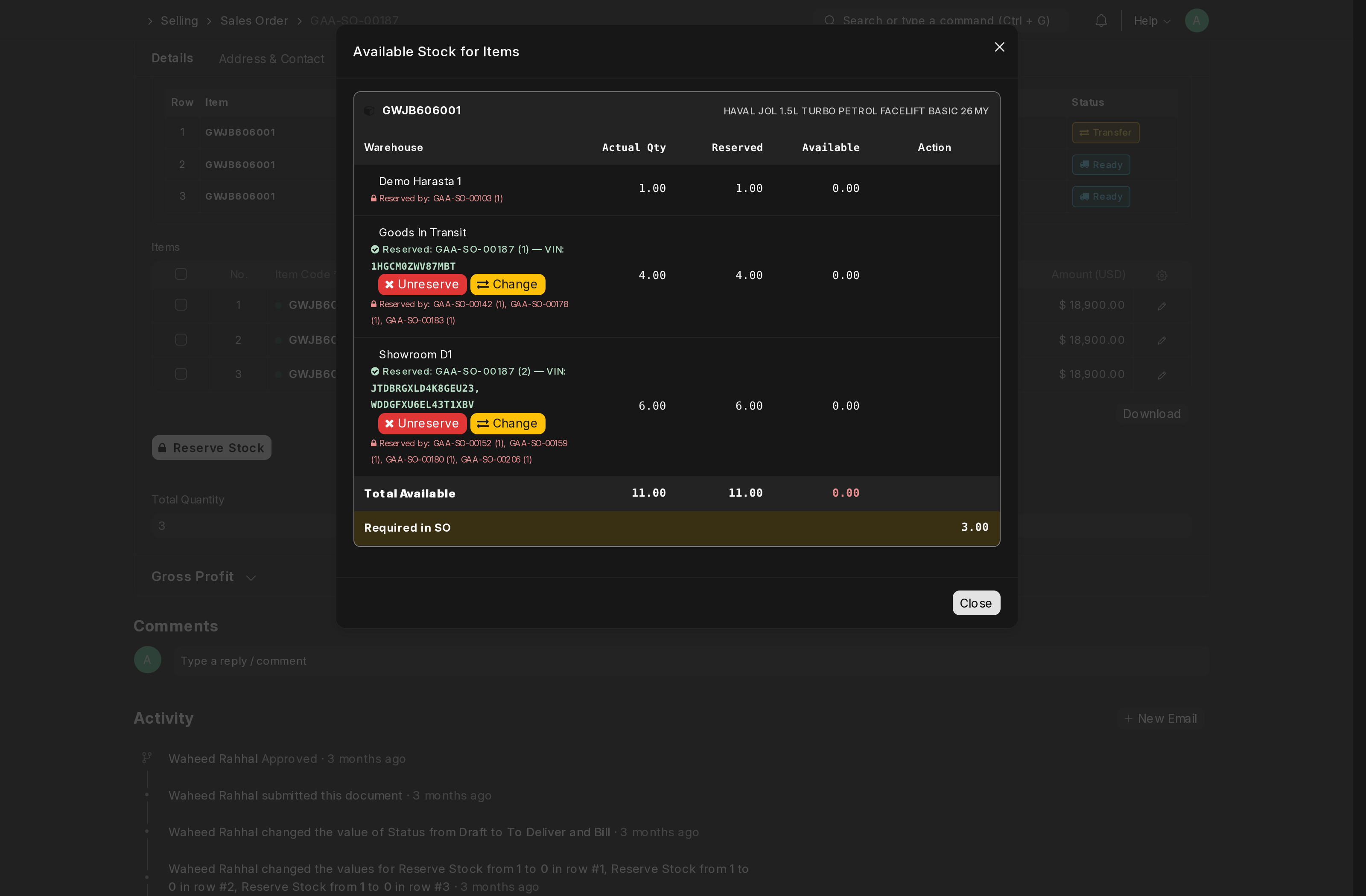
Walk-in showrooms run an end-to-end retail workflow: customer enquiry, test drive, quotation, sales order, vehicle delivery. We built VIN-level stock reservation so each chassis is uniquely traceable from import to handover. Branches can carry their own default values without code changes, and showroom-specific cost centres keep each location's accounting clean from day one.
Fleet Sales
Corporate and government customers need a different motion. Bulk-quote workflows handle multi-vehicle sales orders with chassis-level allocation, custom approval gates protect high-value deals, and fleet allocations draw from the same inventory pool as retail. One source of truth, two go-to-market paths.
Parts Sales and Inventory
Over 11,000 parts are catalogued across OEM-coded item group hierarchies. Counter sales, parts requests, awaiting-parts tracking, and purchase order workflows are all native to ERPNext, extended with the configurable defaults each branch needs. Every parts issue posts the cost of goods sold to the General Ledger in real time, with no nightly reconciliation between stock and accounts.
After-Sales and Workshop
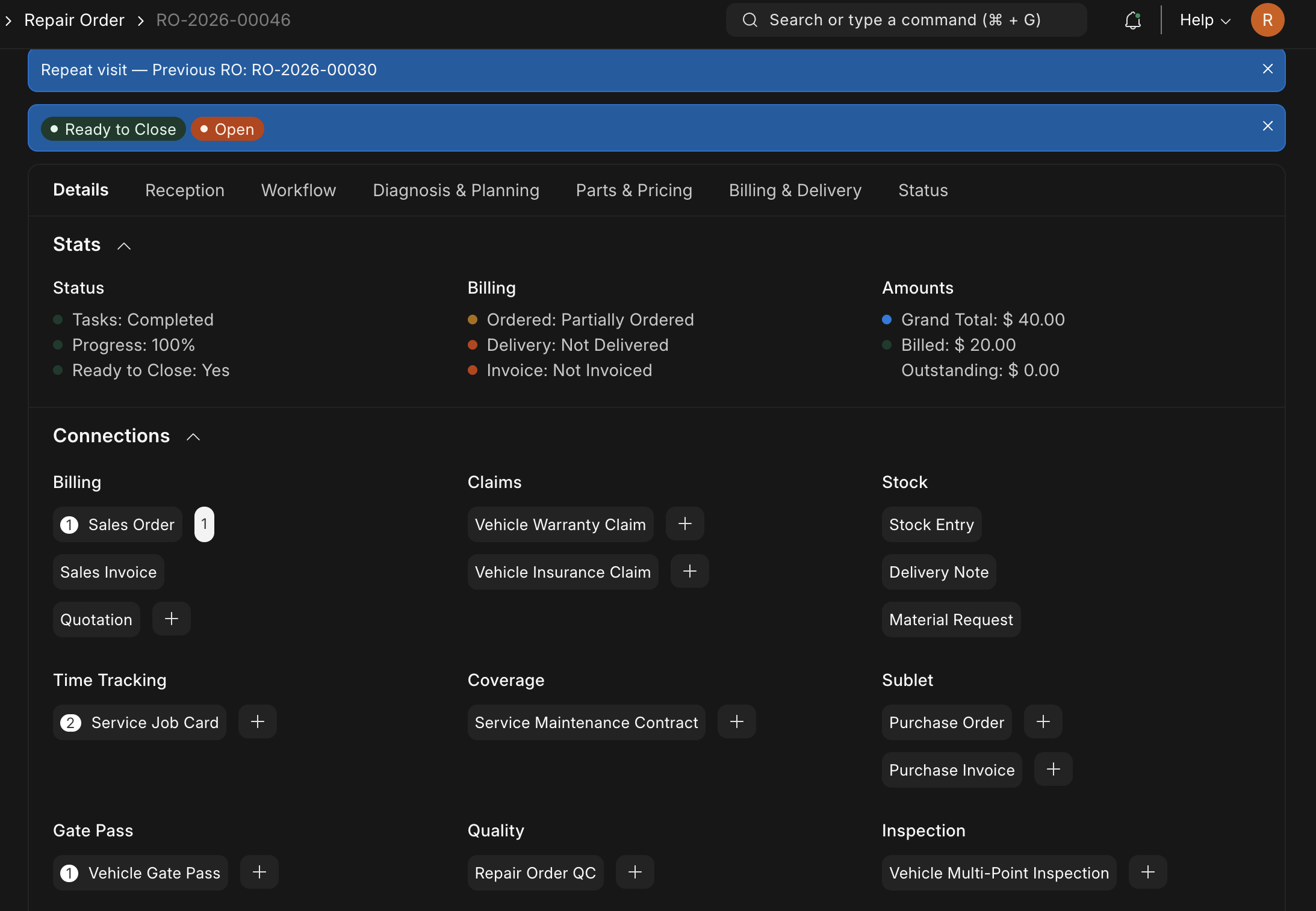
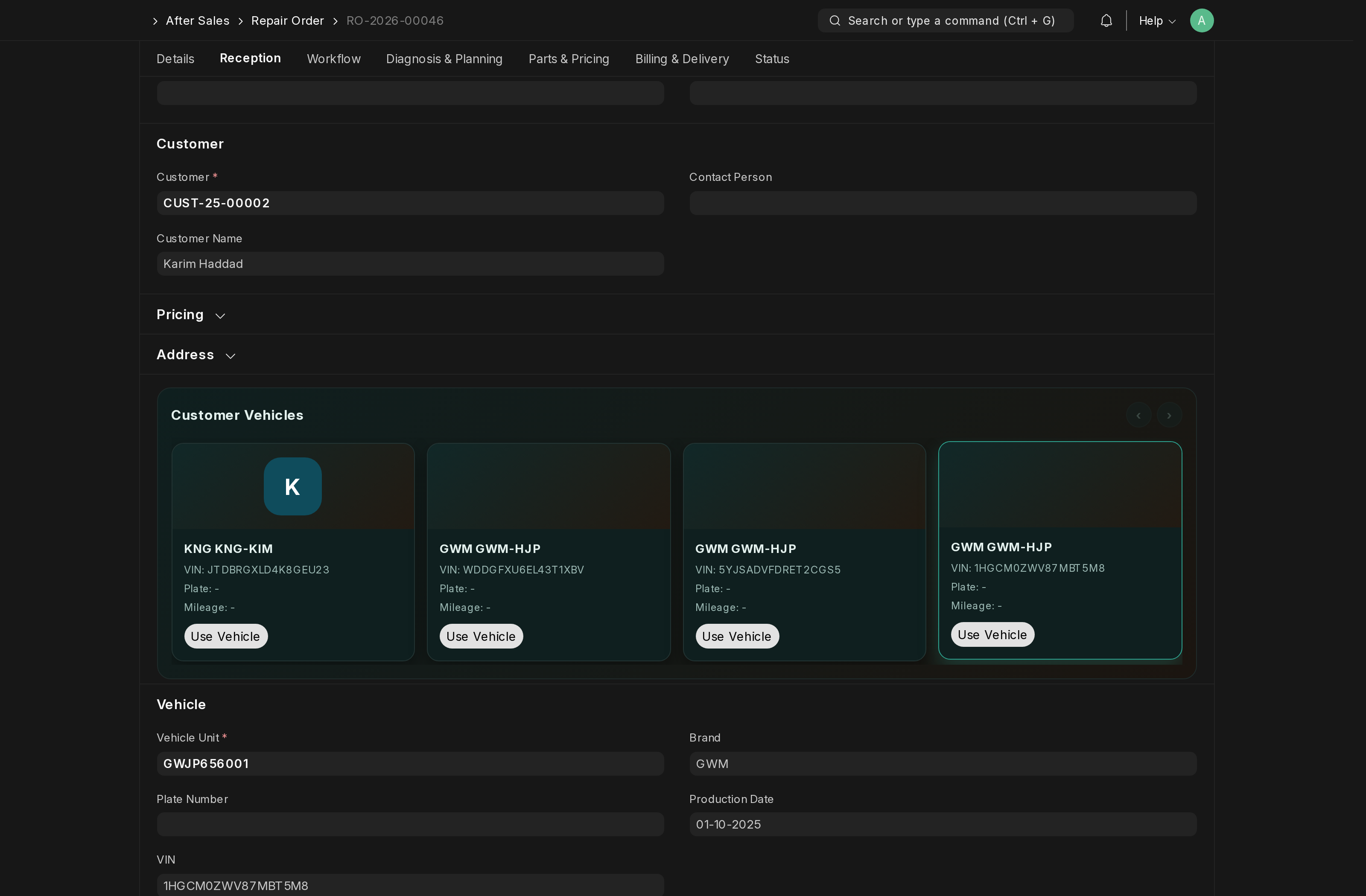
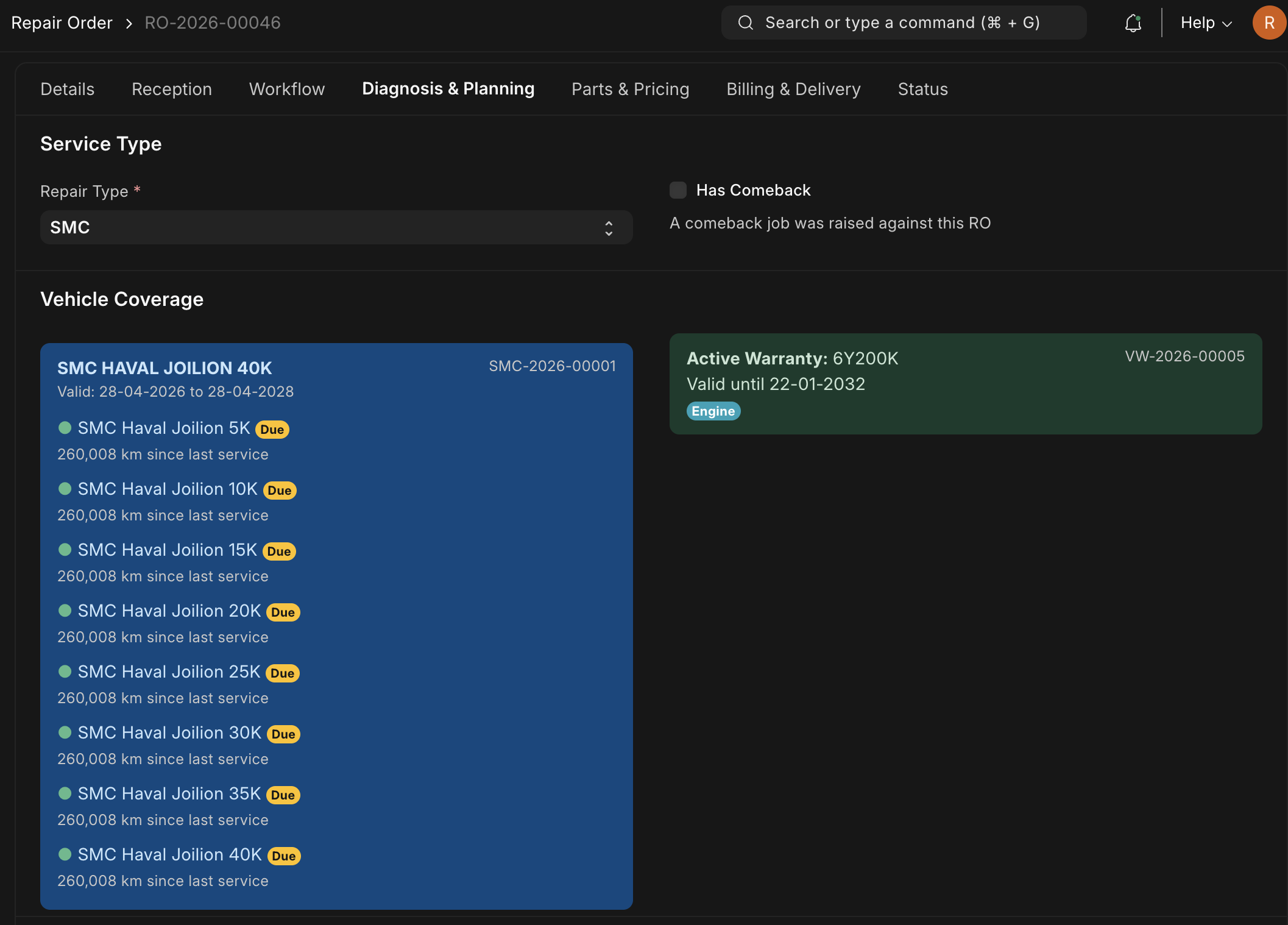
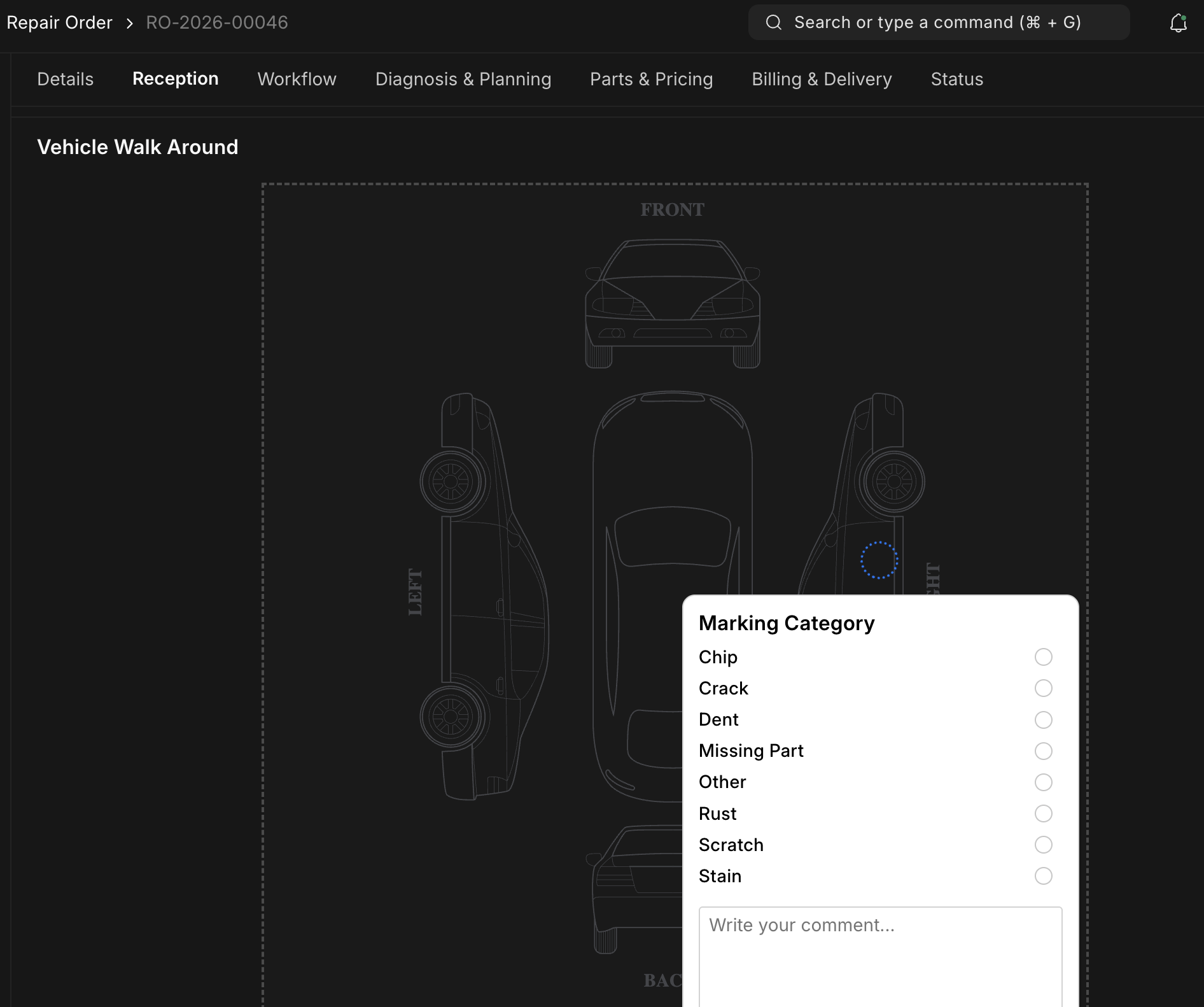
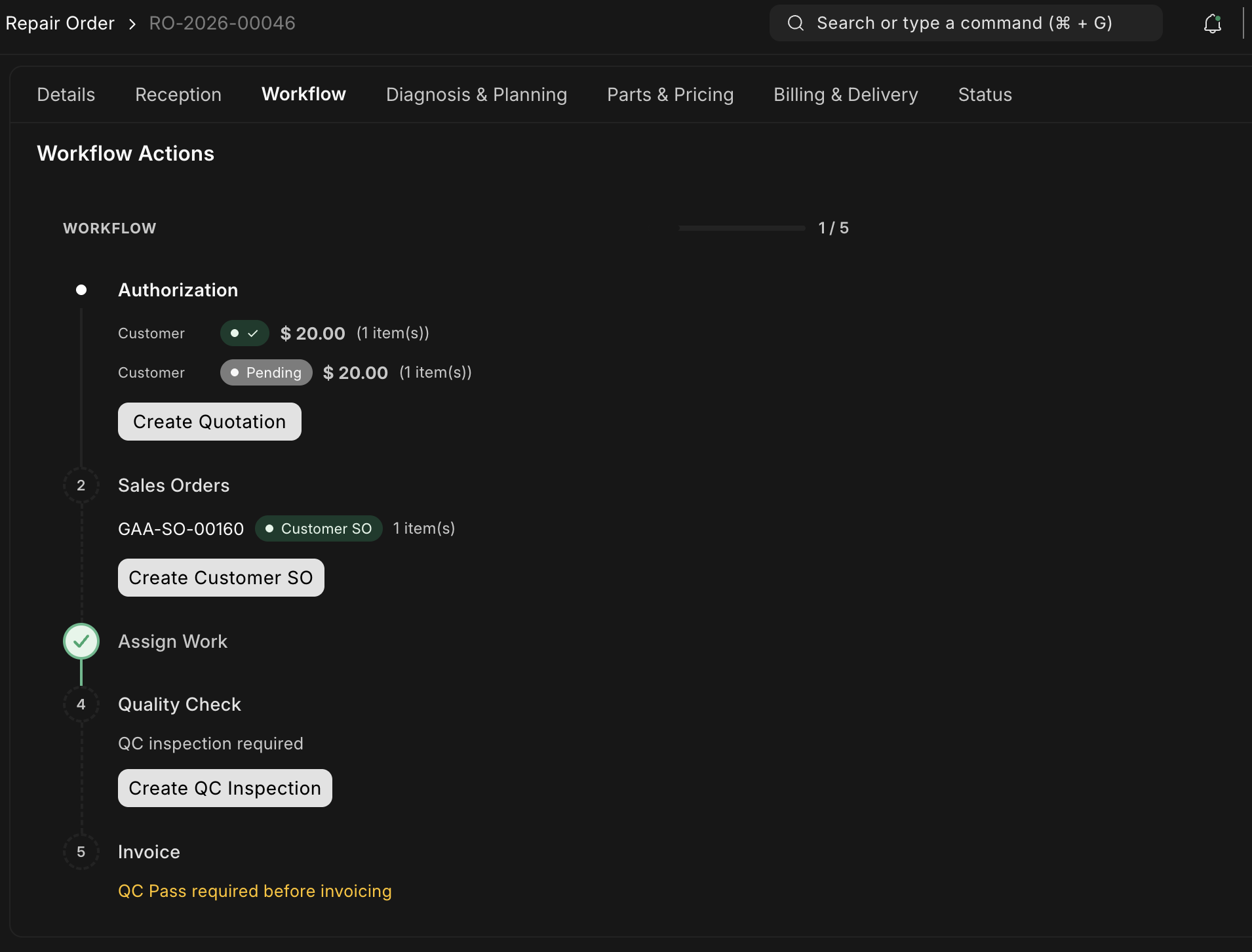
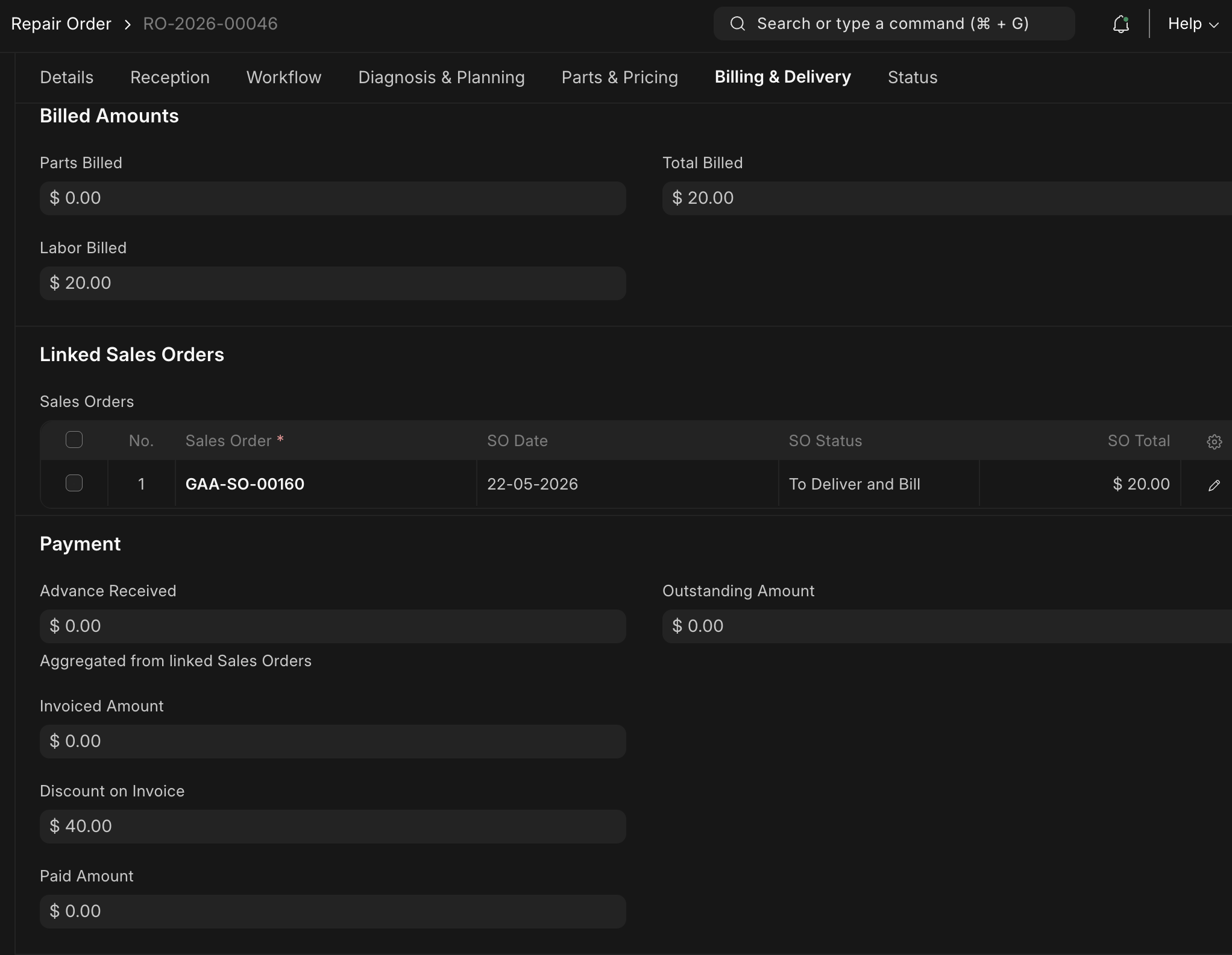
The headline custom application is GarageFlow, the workshop management platform. It powers Repair Orders, Service Job Cards, vehicle warranty claims, Service Maintenance Contracts (SMC), an appointment scheduler, and a real-time workshop control panel. Ten distinct Repair Types are supported out of the box: General, Periodic, Goodwill, Warranty, Insurance, SMC, Comeback, Campaign, OEM Recall, and Internal. Each has its own billing routing, account treatment, and approval flow. A sublet vendor module handles outsourced operations with cost, markup, and margin tracking. On top of that sits a suite of operational reports including Workshop Turnover, Workshop Efficiency, First Time Fix Rate, SMC Profitability, Repair Order Aging, Parts Consumption, and Awaiting Parts.
3. The Workshop Control Panel: A Real-Time Operations Screen
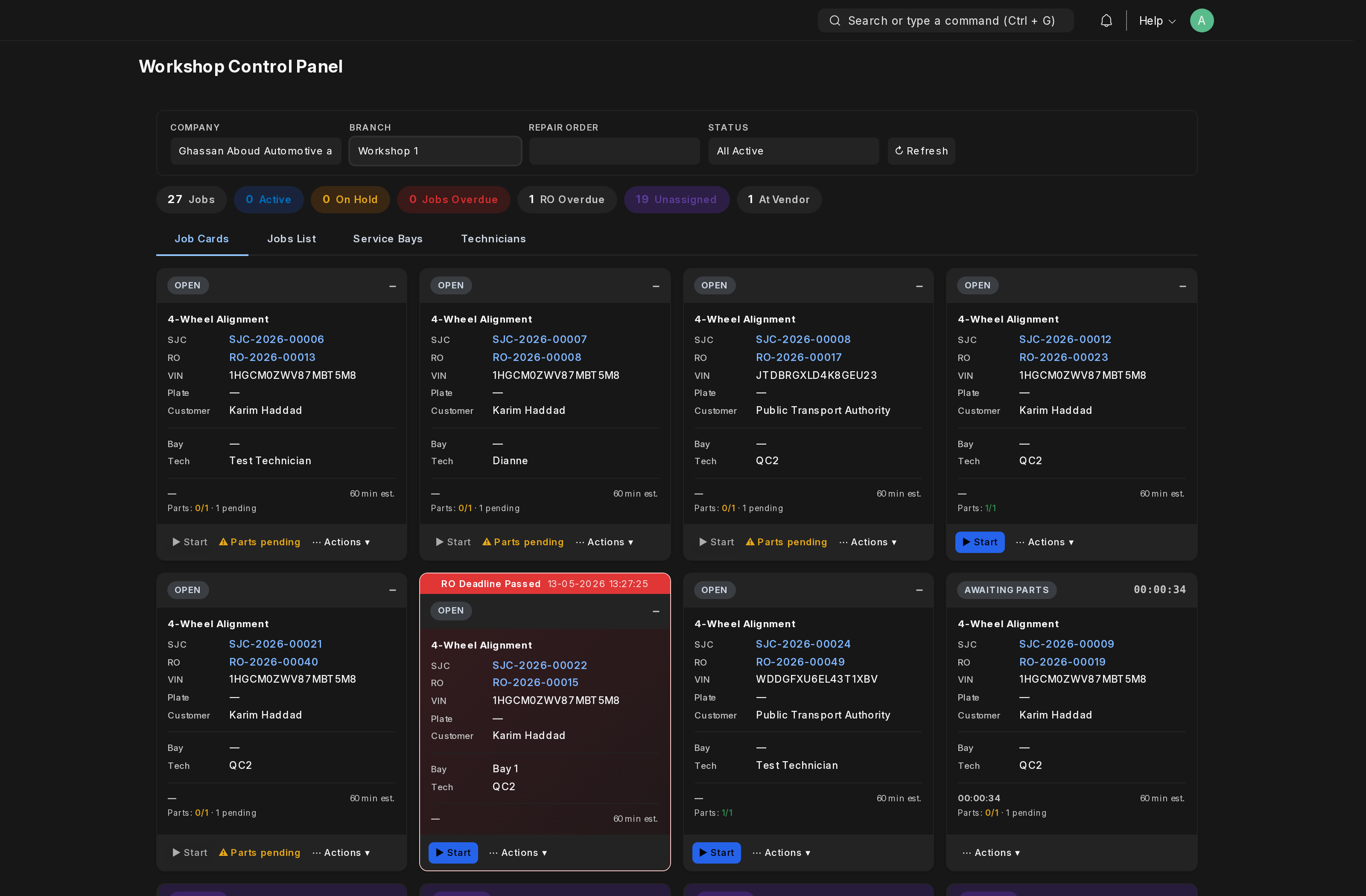
Standard ERP list views are designed for back-office users, not for the person running a workshop floor. A foreman needs answers in two seconds and visibility across every bay, technician, and job without switching screens. The Workshop Control Panel is the layer that gives them exactly that.
Built as a custom Vue.js application on top of the GarageFlow data layer, it runs full-screen on a tablet or wall-mounted display in the service area, updating live as activity flows through the system.
At a glance:
- Every active Repair Order as a card, grouped by status
- Every Service Bay with its current occupant, technician, and elapsed time
- Every Service Job Card in flight, with a colour signal when actual hours overrun the estimate
- Live counts of jobs done, open, awaiting parts, and ready for delivery
The foreman can reassign jobs, move them between bays, and drill into any Repair Order without leaving the screen. Dark mode and touch-friendly layouts make it work on tablets or wall-mounted shop-floor displays.
This is the difference between an ERP that runs the back office and an ERP that runs the workshop.
4. A Stakeholder-Driven Build, Not a Guess
A common ERP failure mode is over-engineering. Teams build features no one asked for while missing the ones the business actually runs on. We avoided that on this project because the inputs were unusually well-defined from day one.
The client provided clear workflows. Every operational process came documented from clients's operations team. How a walk-in customer becomes a sales order, how a repair order routes between service advisor, technician, foreman, and accounts, how a warranty claim moves from draft through approval to OEM billing. We were not reverse-engineering processes from interviews. We were translating an existing playbook into a working system.
The client defined the permission matrix. Roles, approval gates, and field-level access were specified up front. Who can open a Repair Order, who can submit a Sales Invoice, who can approve a Vehicle Warranty Claim, who can write off a Goodwill discount. We mirrored that matrix directly into the system so what shipped reflects the company's authority structure, not a developer's assumption of it.
The OEMs provided the master data. Vehicle models, VIN ranges, spare parts catalogues, warranty terms, and recall lists all came from the manufacturers themselves. We ingested over 5,000 parts directly from OEM bills of materials, mapped them into hierarchical groups (one tree per brand, sub-categorised by system: engine, brakes, electrical, body, and so on), and linked each part to its applicable vehicle models. The result is a parts master that mirrors how the OEMs themselves think about inventory, which makes warranty claims, parts ordering, and service tasks trivial to reconcile.
Because the workflows, permissions, and master data all arrived structured, the engineering effort went into building the system that fit them rather than building generic capability and hoping it would fit. That is the difference between an ERP that goes live on time and one that drags into a year-long requirement-gathering cycle.
5. Why ERPNext
We chose ERPNext for two reasons. First, it ships with multi-company, multi-currency, and multi-branch capabilities out of the box, which matches the dealership's planned expansion. Second, custom Frappe applications extend ERPNext rather than replace it. Every Repair Order touches the same stock ledger, accounting ledger, and HR data as a regular Sales Invoice or Stock Entry. There are no parallel databases, no shadow systems. Operational and financial data are the same data.
6. Integration Depth
The system's value is in how the modules talk to each other. HR shift assignments feed the workshop's scheduled-hours calculation, so technician productivity is measured against real working capacity. Stock ledger entries feed parts cost into gross profit reports in real time. A biometric attendance integration syncs clock-in data into Frappe, and a custom overtime workflow reconciles hours against shift assignments. Sales Invoices and Payment Entries post directly from Repair Orders, fleet deliveries, and parts counter sales. Finance never has to wait for an end-of-day batch.
7. Multi-Brand by Design
With 25-plus vehicle models across three very different brands, GWM passenger and pickup, Kinglong and Kingwin commercial buses, NWH agricultural tractors, the workflows had to be brand-aware without becoming three separate systems. OEM-specific warranty types, parts groups, and recall campaigns are configured per brand, while the underlying repair order, billing, and accounting flow remains identical. The customer who buys a Haval H6 today and an NWH tractor tomorrow is one customer in one ledger.
8. Built Once, Designed to Replicate
The dealership starts with a single workshop and showroom today. The platform is designed for what comes next: additional locations across Syria, expansion into Africa, and a sub-dealer network. New locations and sub-dealers are added as separate companies inside the same ERPNext instance, each with its own chart of accounts, cost centres, and warehouses. User permissions scope every team strictly to their own data. Shared master data such as vehicle models, parts catalogue, and warranty terms lives once and serves everyone. We delivered a configuration playbook so each new site can be brought online in days, not months. The single-dealership build is already a dealer network platform.
9. Built to Scale
Cost-centre and segment information propagates from every source document down to derived postings, so workshop activity, parts sales, and fleet deliveries all land on the right cost line automatically. Adding a new branch, a new brand, or even a new repair type is a configuration task, not a development task. The system is built to be modified by the client's own admin team after handover.
10. Tech Stack
Frappe v15, ERPNext v15, Python, MariaDB, Vue.js for the workshop control panel. Several custom Frappe applications were built specifically for this project to cover vehicle registry and VIN reservation, branch-level field defaults, biometric attendance ingestion, overtime reconciliation, regional HR customisations, and the GarageFlow after-sales platform itself. The rollout was iterative. Retail came online first, parts followed, then after-sales, with each pillar validated against real-world transactions before the next went live.
11. Closing
If you are building or scaling an operation that needs an industry-specific ERP, in automotive, manufacturing, field service, or anywhere ERPNext's open architecture is a fit, Quark Cyber Systems specialises in custom Frappe app development and end-to-end ERPNext implementations. Talk to us at quarkcs.com.

Christy Francis
Steering digital transformations and marketing initiatives; unwinding with photography and the outdoors.